Forton Furniture
What are the signs you need to replace your office chair? Often, they appear during ordinary work: the seat sinks slowly, the backrest leans without support, or a wheel catches on the floor. A little squeak may be harmless. A cracked base or persistent wobble is not. If adjustments no longer hold, or the chair cannot support a comfortable working position, replacement may be more sensible than another repair.
Cornell ergonomics researcher Dr. Alan Hedge is often credited with this reminder: “The best posture is the next posture.” It is a useful cue, not a reason to blame every ache on your chair. Still, if you keep shifting to escape a hard seat edge or leaning forward because the lumbar support has flattened, pay attention. Check the controls, upholstery, armrests, casters, and frame in daylight; small faults can be easy to overlook. Then compare what you find with the chair’s warranty and repair options. That step is unglamorous, but it can prevent a rushed purchase.
This guide will explain the warning signs, from visible damage to support that has quietly faded. It will also distinguish fixable wear from problems that affect stability or comfort. One caveat: discomfort can have causes beyond a chair, and a new seat is not a guaranteed solution. Even so, don’t ignore a chair that repeatedly slips, tilts, or leaves you working around its defects.
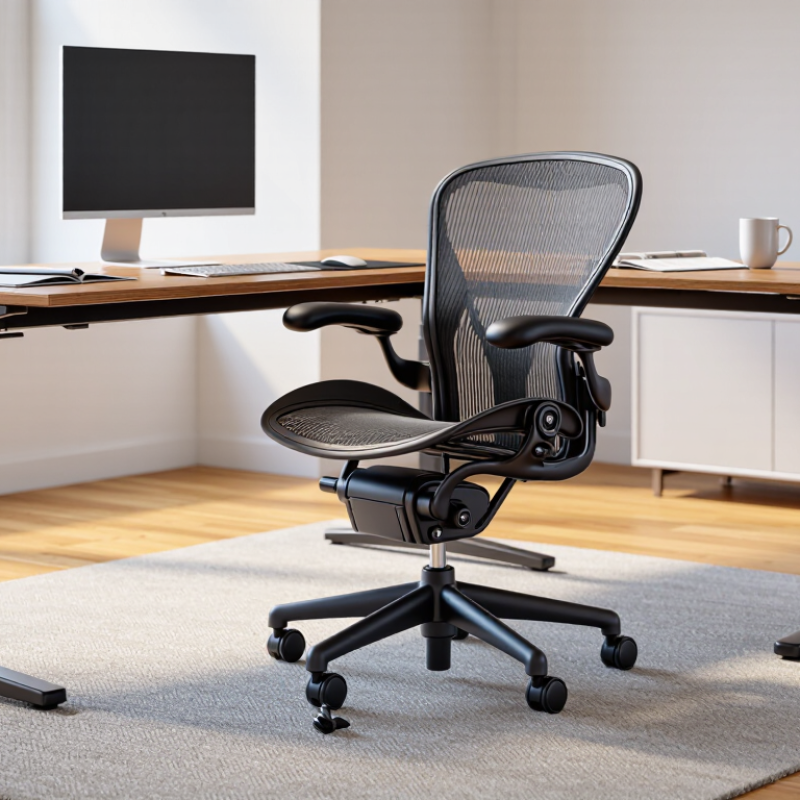
In China, a typical office chair may last about five to eight years with regular home or office use. This is an estimate, not a deadline. Chairs used for long shifts, shared by many people, or exposed to heat and humidity may wear out sooner. Dust, uneven floors, and neglected screws can also affect their condition. A chair used only occasionally may remain serviceable longer, though age alone cannot confirm that it is safe or comfortable.
Tips: Check the wheels, base, armrests, and adjustment controls every few months. Tighten loose screws only as directed by the manufacturer. Keep the chair away from damp areas, and clean dust from moving parts. Small checks help. They do not restore worn components.
Pay attention to changes, not just the calendar. A seat that stays compressed, a backrest that slips, or a base that wobbles can signal that replacement is due. I have seen chairs look fine at a glance while a loose control makes daily use frustrating. That is easy to miss. If adjustments fail or structural parts are cracked, stop using the chair and arrange a suitable replacement. Safety matters more than keeping it for another season.
Inspect the chair on a level floor, with nobody seated. Look closely. Check the five-star base, welds, and underside frame for cracks, bends, or rust that has eaten into the metal. Press each caster gently; a loose stem or broken wheel can make the chair shift suddenly. Watch the seat while raising and lowering it. If it sinks on its own, the lift mechanism may be worn. Rock the backrest lightly and listen for movement around its attachment points. A squeak alone proves little, but a widening gap or visible crack matters. Stop using it if the frame is damaged.
For context, ANSI/BIFMA X5.1-2017 includes 100,000-cycle seat durability and 120,000-cycle back durability tests for applicable chair designs. These laboratory tests indicate how chairs are evaluated; they do not certify that a particular used chair is still safe. A small wobble can seem harmless. I may be cautious, but don’t ignore it if it worsens or comes with loose fasteners. Check the underside with a flashlight, and compare both sides of the base for uneven bends. Replace a chair when structural parts are cracked, deformed, or no longer hold securely.
Ergonomic Problems That Signal It Is Time for a New Chair
An office chair may still look sturdy while quietly making work uncomfortable. Watch for recurring lower-back soreness, numbness in your legs, or pressure behind your knees after sitting. These symptoms can have many causes, so a chair is not always the answer. Still, if discomfort eases when you stand and returns when you sit, check the chair’s fit. Your feet should rest flat, and the seat should support your thighs without pressing into the backs of your knees. The backrest should support your lower back, not leave a gap you keep trying to fill.
Tips: Adjust the seat height, backrest, and armrests before replacing the chair. Take brief movement breaks, too. Note when discomfort starts and which adjustments help. A quick fix may reveal the problem—or show that the chair no longer fits.
Pay attention to parts that no longer hold their settings. A seat that sinks during the day, a tilt mechanism that drops suddenly, or worn padding that lets you feel the frame can undermine support. I used to blame a long workday for every ache; that was not always fair to my chair, or to my posture. But repeated adjustments should not become a daily struggle. If a well-adjusted chair still causes discomfort, or its support has clearly deteriorated, replacing it may be the practical choice. Pain that persists away from the desk deserves advice from a qualified health professional.
A chair may still be repairable when a wheel sticks or a height lever slips. But repeated failures change the calculation. Check for a cracked base, a wobbly frame, or a backrest that will not stay upright. These faults affect stability, not just comfort. Flattened foam that leaves you sitting on the seat pan is another warning. Not yet? A single loose screw rarely means the chair is finished; recurring faults after repair are more telling.
ANSI/BIFMA X5.1-2017, the industry standard for general-purpose office chairs, includes durability tests of 100,000 seat cycles and 120,000 back cycles. These are laboratory benchmarks, not guarantees of a chair’s service life. Still, they show why persistent failure in a load-bearing part deserves attention.
Compare the repair quote with the chair’s condition: if the frame is cracked, several mechanisms are failing, or replacement parts are unavailable, repair may cost more without restoring dependable support.
That judgment can feel premature. It helps to note the faults, repair history, and parts cost before deciding. A qualified technician can inspect the base, fasteners, and tilt mechanism; avoid relying on a quick tightening when cracks or instability remain.
How to Choose a Suitable Replacement Office Chair in China
Choosing a replacement starts with your body and workspace, not a feature list. Measure your desk height, available floor space, and the distance from the seat to the floor. Your feet should rest flat, with knees near a right angle. The chair should support your lower back without forcing you forward. Fit matters. A chair that feels comfortable for five minutes may feel different after a full workday.
Tips: If possible, test the chair for at least 15 minutes. Adjust the seat height and backrest, then check whether the armrests slide under your desk. For long sitting periods, breathable fabric may feel more comfortable in warm, humid weather. Check the return policy and delivery dimensions before ordering, especially for a compact apartment or shared office.
Think about how you actually work. If you move between a desk and video calls, stable wheels and easy adjustments can help. A firm seat is not automatically better, and extra controls can go unused. Read specifications carefully, but treat them as a starting point. Personal comfort varies, and even a well-reviewed chair may not suit your posture. Take notes after testing; I sometimes find my first impression was wrong.
With regular use, about five to eight years. It is only an estimate, not a deadline.
Long shifts, frequent sharing, heat, humidity, dust, and uneven floors can speed up wear. Loose screws matter, too.
Inspect the wheels, base, armrests, and adjustment controls. Look for wobbling or loose parts. Small checks help.
Watch for a seat that stays compressed, a slipping backrest, or a wobbly base. Cracked structural parts are a serious warning.
It may contribute, but discomfort can have other causes. Notice whether symptoms ease when you stand and return when you sit.
Set the seat height, backrest, and armrests. Keep your feet flat, and avoid pressure behind your knees. Take brief movement breaks.
A sinking seat or suddenly dropping tilt can weaken support. Repeatedly adjusting it gets old—and may not solve the problem.
Stop if structural parts are cracked or adjustments fail. Arrange a suitable replacement; keeping it for one more season may not be worth it.
Not automatically. I once blamed long workdays for every ache, and that was not always fair. Persistent pain away from the desk deserves advice from a qualified health professional.
An office chair’s lifespan depends on its materials, construction, frequency of use, and maintenance, but age alone does not determine whether it should be replaced. What are the signs you need to replace your office chair? Look for structural wear such as a cracked base, loose joints, unstable wheels, a sinking seat, or a backrest that no longer stays in position. Persistent squeaking or parts that repeatedly fail can also indicate that the chair is no longer dependable.
Comfort and support matter just as much. If the chair causes discomfort, no longer supports a neutral sitting posture, or cannot be adjusted to fit your body and desk, it may be time for an upgrade. Repairs may be worthwhile for a minor, affordable fault, but replacement is often more practical when several components are worn or essential adjustments no longer work. When choosing a new chair in China, consider build quality, suitable ergonomic adjustments, durability, and compatibility with your daily work needs.